 StickCommander
Your Stick, on your phone screen.
StickCommander mirrors the real Bruce menu of an M5StickC Plus 2, draws text on its 135×240 display, fires IR codes, browses LittleFS and streams a full terminal — over USB-OTG or Bluetooth LE.
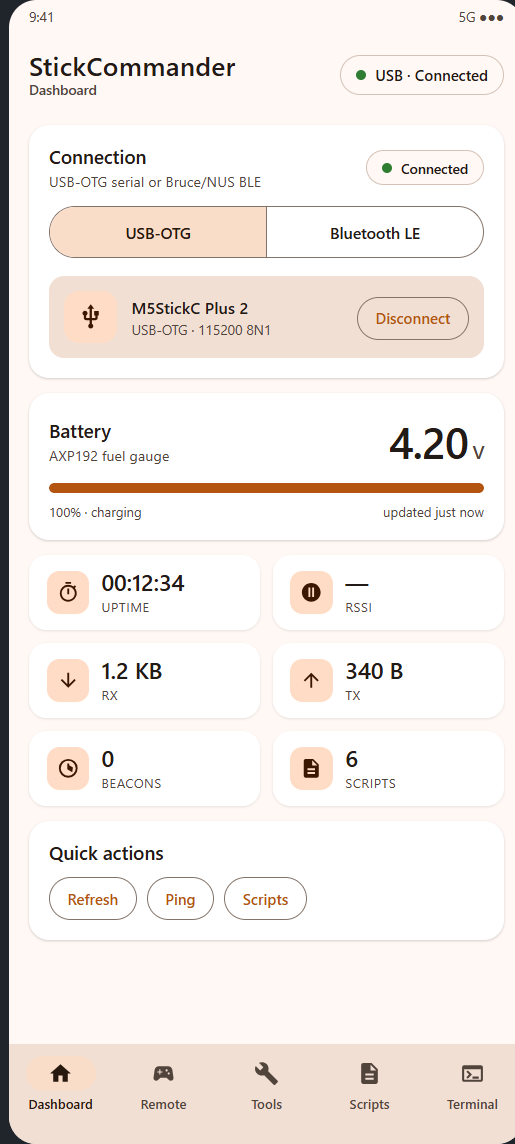
Six screens, one cable
Everything the Stick can do, grouped where you need it. The app talks to the firmware in both directions: telemetry and menu state come back, commands go out.
Live Stick menu
Reads the firmware's real option list — title, labels, disabled entries and the current selection — and refreshes every second. Tap an item to open it on the Stick.
Screen mirror + drawing
A text mirror of the UI on your phone, plus a canvas in the other direction: send text and the Stick renders it on its own TFT.
IR blaster
NEC, Samsung and Sony (12/15/20 bit) with hex inputs and one-tap presets. The Stick emits, the phone just tells it what to send.
File manager
Browse LittleFS, preview text files, upload your own file in 256-byte chunks with a progress bar, create folders, rename and delete.
Remote control
Virtual D-pad and M5/A/B/PWR press-and-hold buttons. Every press and release is a separate event, so long presses work exactly like on the device.
Terminal & scripts
Filtered logs, raw command input, plus phone-side scripts you can upload to the Stick and run without touching the device.
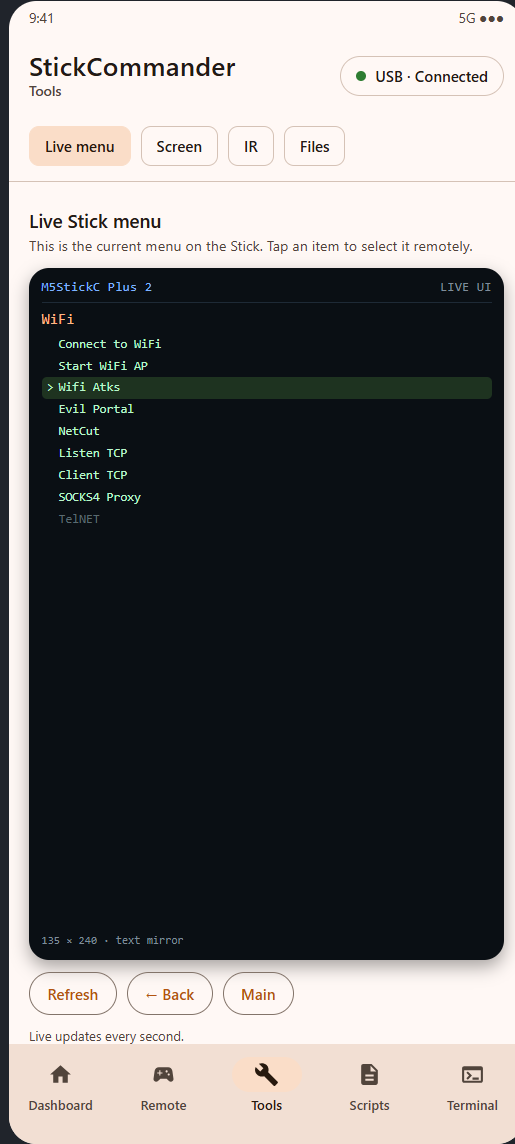 Tools · Live menu
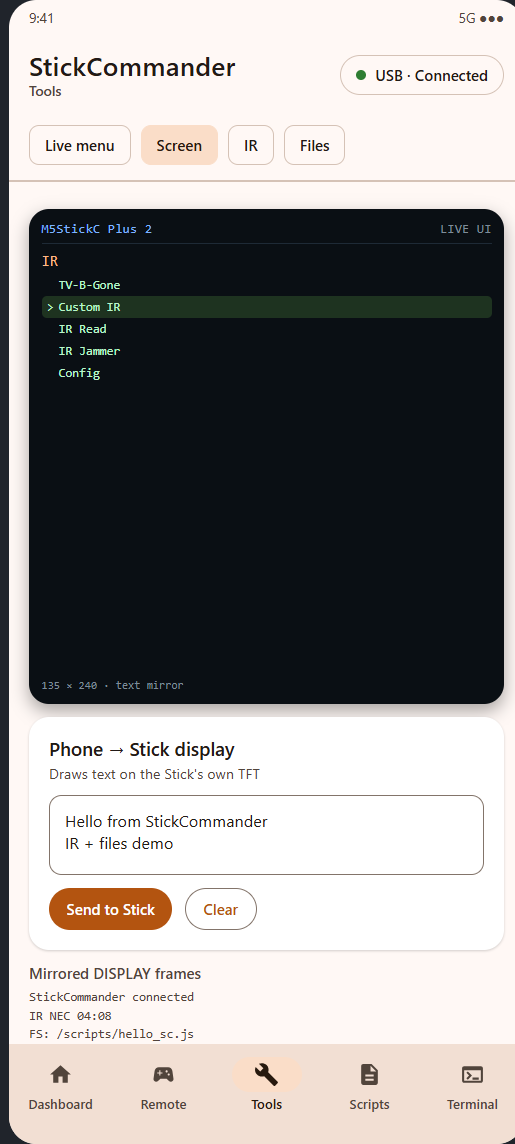 Tools · Screen
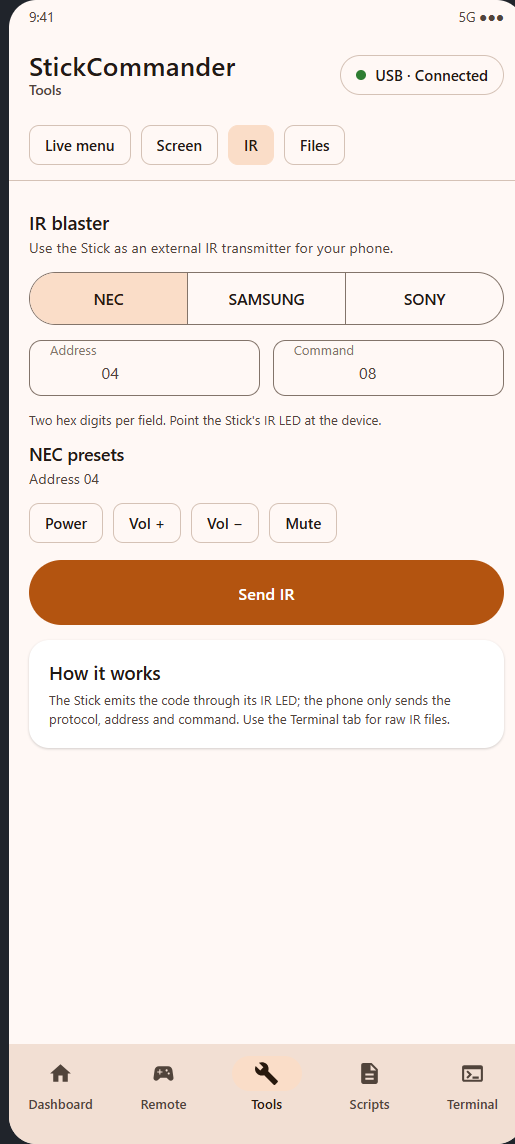 Tools · IR
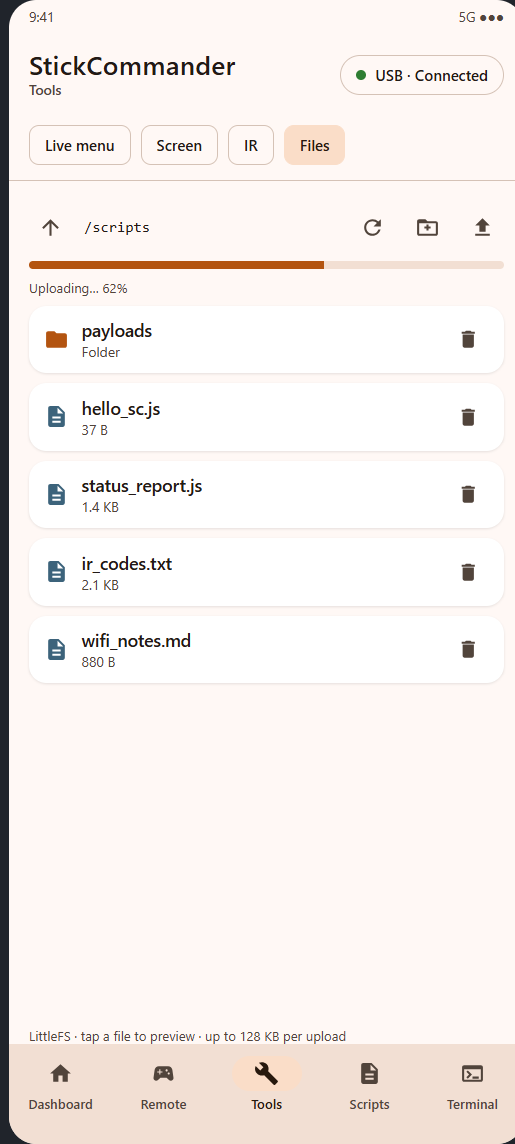 Tools · Files
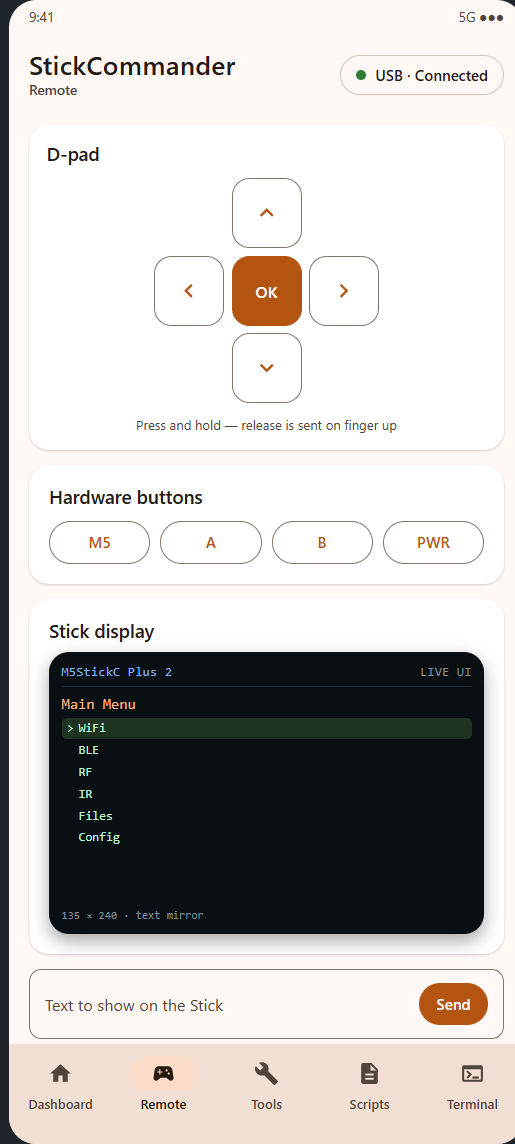 RemoteDashboard
Previews rendered from the app's own Compose layout — same components, same strings as the installed build.
How it works
A small command bridge is compiled into Bruce. The app speaks a newline-delimited ASCII protocol; nothing else is patched.
Transport
USB-OTG serial at 115200 8N1 through the CH9102 bridge, or BLE using the Nordic UART Service / Bruce's BLE API. Same commands on both.
Real menu, not a copy
The bridge reads Bruce's global options vector and sets
forceMenuOption, EscPress or
returnToMenu. The app drives the firmware itself.
Screen and IR
Text is laid out and drawn on the TFT with the current theme colors. IR uses Bruce's own NEC/Samsung/Sony encoders, so timing stays correct.
Files
LittleFS paths and payloads travel base64-encoded. Uploads are streamed in 256-byte chunks so a 128 KB file fits comfortably in RAM.
# ask for the current menu
> CMD:MENU:LIST
< MENU:TITLE:V2lGaQ==
< MENU:ITEM:0:1:Q29ubmVjdCB0byBXaWZp
< MENU:END

# open item 0 on the device
> CMD:MENU:OPEN:0
< OK:menu:0

# draw text on the Stick
> CMD:SCREEN:TEXT:SGVsbG8=
< OK:screen:text

# NEC power code, address 04
> CMD:IR:NEC:04:08
< OK:ir:NEC

# list LittleFS
> CMD:FS:LIST:Lw==
< FS:ENTRY:D:0:c2NyaXB0cw==
< FS:LISTEND
Install in four steps
You need an M5StickC Plus 2, an OTG cable (or Bluetooth) and five minutes.
Back up the Stick (recommended)
esptool --port COM3 read-flash 0x0 0x800000 backup.bin — keeps a way
back to the stock firmware. The port is a CH9102 UART, VID 1A86 / PID 55D4.
Flash the merged image
esptool --port COM3 --baud 460800 write-flash 0x0 Bruce-m5stack-cplus2.bin.
The image is written from address 0x0 and includes bootloader, partitions
and the app.
Install the APK
adb install -r StickCommander-debug.apk, or copy it to the phone and
allow installs from unknown sources.
Connect
USB: connect and grant the USB permission. BLE: enable Config → Advanced → Toggle BLE API on the Stick, then scan from the app.
The firmware is built on Bruce (AGPL-3.0). Source, patches and the build recipe are in the repository, and every release ships the corresponding firmware source.
Build it yourself
Firmware
git clone https://github.com/BruceDevices/firmware.git bruce
cd bruce
git checkout 1.16.1
# copy firmware/integration/* over the tree
pio run -e m5stack-cplus2
The integration folder contains the bridge, modified serial task, BLE service changes, the FastLED/LTO patch and the PlatformIO configuration.
Android app
./gradlew assembleDebug
./gradlew testDebugUnitTest
JDK 17 and Android SDK 35. The project uses Jetpack Compose, Material 3, a repository with an ordered command queue, and both transports behind one interface.
Protocol at a glance
Everything is line based and human readable. Full reference in firmware/README.md.
| Area | Commands |
|---|---|
| System | CMD:PING, CMD:SYS:STATUS, CMD:TEXT: |
| Buttons | CMD:BTN:M5|A|B|PWR:PRESS|RELEASE, CMD:NAV:UP|DOWN|LEFT|RIGHT|OK |
| Menu | CMD:MENU:LIST, CMD:MENU:OPEN:n, CMD:MENU:BACK, CMD:MENU:HOME |
| Screen | CMD:SCREEN:TEXT:<base64>, CMD:SCREEN:CLEAR |
| IR | CMD:IR:NEC|NECEXT|SAMSUNG:a:c, CMD:IR:SONY:a:c:bits |
| Files | CMD:FS:LIST|READ|DELETE|MKDIR|RENAME|BEGIN|CHUNK|END|WRITE |
| Scripts | CMD:SCRIPT:LIST|RUN|LOAD|STOP |